Welcome to Enmantle: a 10-minute tour
A friendly first look at Enmantle — how scheduling, time clock, documentation, clients, incidents, billing, and payroll fit together in one place.
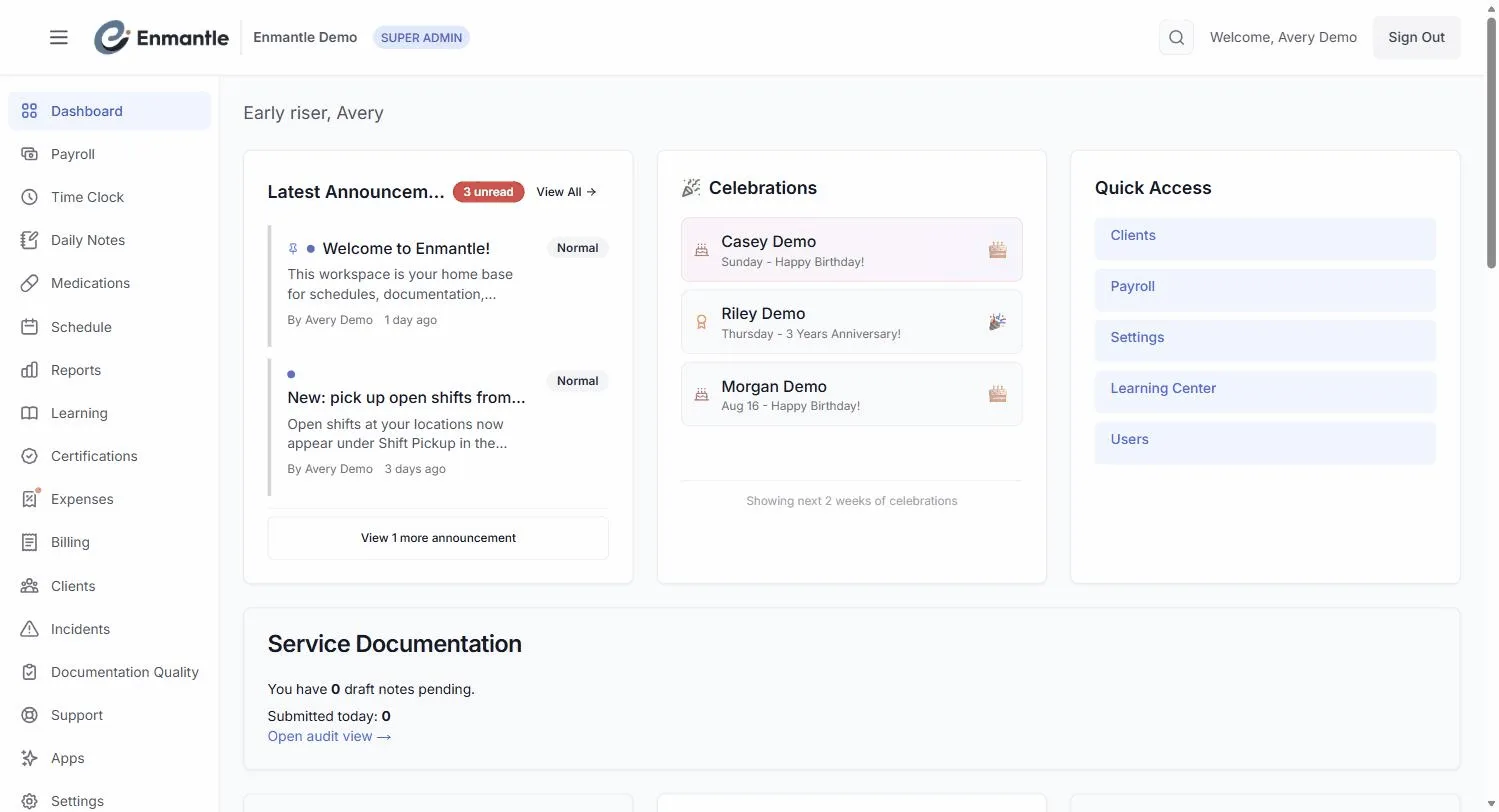
Enmantle is one platform combining scheduling, the time clock, daily notes, client records, incidents, billing, and payroll, so data entered once — like a clock-in — flows automatically into EVV, billing, and payroll. Administrators and schedulers typically work from the web app; DSPs mostly work from the iOS or Android app, and everyone sees only what their role needs.
Welcome. Enmantle is your agency's whole operation in one place — the schedule, the time clock, daily notes, client records, incidents, billing, and payroll all live together and talk to each other. This tour gives you the lay of the land in about ten minutes, so nothing feels like a surprise when you dig in.
If you're moving over from Brittco, you're in the right place. Enmantle is built to be the modern, all-in-one home for an Ohio IDD and home-care agency, and your migration is staged so EVV and billing never skip a beat.
What Enmantle is
Instead of stitching together a scheduler, a spreadsheet, an EVV app, and a billing tool, Enmantle keeps it all under one roof. When a DSP clocks in and writes a note, that same information flows into EVV, billing, and payroll automatically. You enter things once.
There are three ways to get in: the web app in any browser, and native mobile apps — Enmantle on the App Store (iPhone/iPad) and Google Play (Android) — for staff on the go. Administrators tend to live in the web app; DSPs usually work from their phones. Everything stays in sync.
Who it's for
Two kinds of people use Enmantle every day, and it's built for both.
- Administrators and schedulers build the week, manage clients and staff, review documentation, handle incidents, and run billing and payroll.
- DSPs (direct support professionals) clock in and out, write daily notes, and see their upcoming shifts — mostly from a phone.
You'll only see the parts of the platform your role needs, so it never feels cluttered.
The main areas
Here's how the pieces fit together.
- Scheduling — the week is a Time Grid. Colored bars are the shifts you plan; darker bars beside them show what actually happened. Schedules stay drafts until you Publish, which notifies staff in-app and by email. See Time Grid scheduling.
- Time clock, GPS and EVV — staff clock in and out from their phones. Location is captured only at the clock events, never in between, and Enmantle is a DODD-approved alternate EVV vendor.
- Documentation — staff are prompted to finish their note before clocking out. Voice dictation and Polish with AI make notes fast, and ISP goals are scored right inside the note.
- Clients and ISPs — every person you support has a Client 360 page. You can import a client straight from a standard Ohio DODD ISP PDF and Enmantle drafts the details for you to review.
- Medications — if your agency turns it on, Enmantle includes a full eMAR: a Med Pass grid for passing meds and a printable MAR.
- Incidents — a 3-step wizard files UIs and MUIs on the deadlines the state expects.
- Billing and payroll — because the schedule, time clock, and notes already feed the system, billing builds on data you've already captured, and pay stubs land in each staffer's account.
Beyond the daily work
The same platform also runs the parts of an agency that aren't at the bedside:
- Learning & certifications — assign courses, and track certifications with expiry alerts (tracked, never blocking your schedule).
- Onboarding & HR — onboard new staff with checklists, collect e-signatures, and handle complaints.
- Client funds & expenses — track spending from a client's own accounts with receipts and approvals.
- Announcements & files — post announcements and keep policies in one place.
- Admin & setup — add staff and roles, set up locations, and import your data.
You'll only ever see the areas your role and your agency's settings turn on.
Where to go next
Pick the path that matches you:
- DSPs — start with your first shift: clock in, document, clock out.
- Everyone — log in and set up your profile so you're ready to work.
- Admins setting up clients — import a client from an ISP PDF to get people into the system fast.
Take your time. You can't break anything by clicking around, and your data is always yours — full export any time, no fees, no lock-in.
Still stuck?
Email support@enmantle.com — a real person replies.