Write a daily note with voice dictation and AI polish
Speak your daily note instead of typing it, tidy the wording with AI, and finish before you clock out — here's the whole flow.
Your daily note is the record of the support you provided and how the person is doing. Enmantle lets you speak it instead of typing it, then clean up the wording with a tap — all from your phone. This guide walks the whole flow, so writing a note on a busy shift stops feeling like a chore.
Open the note
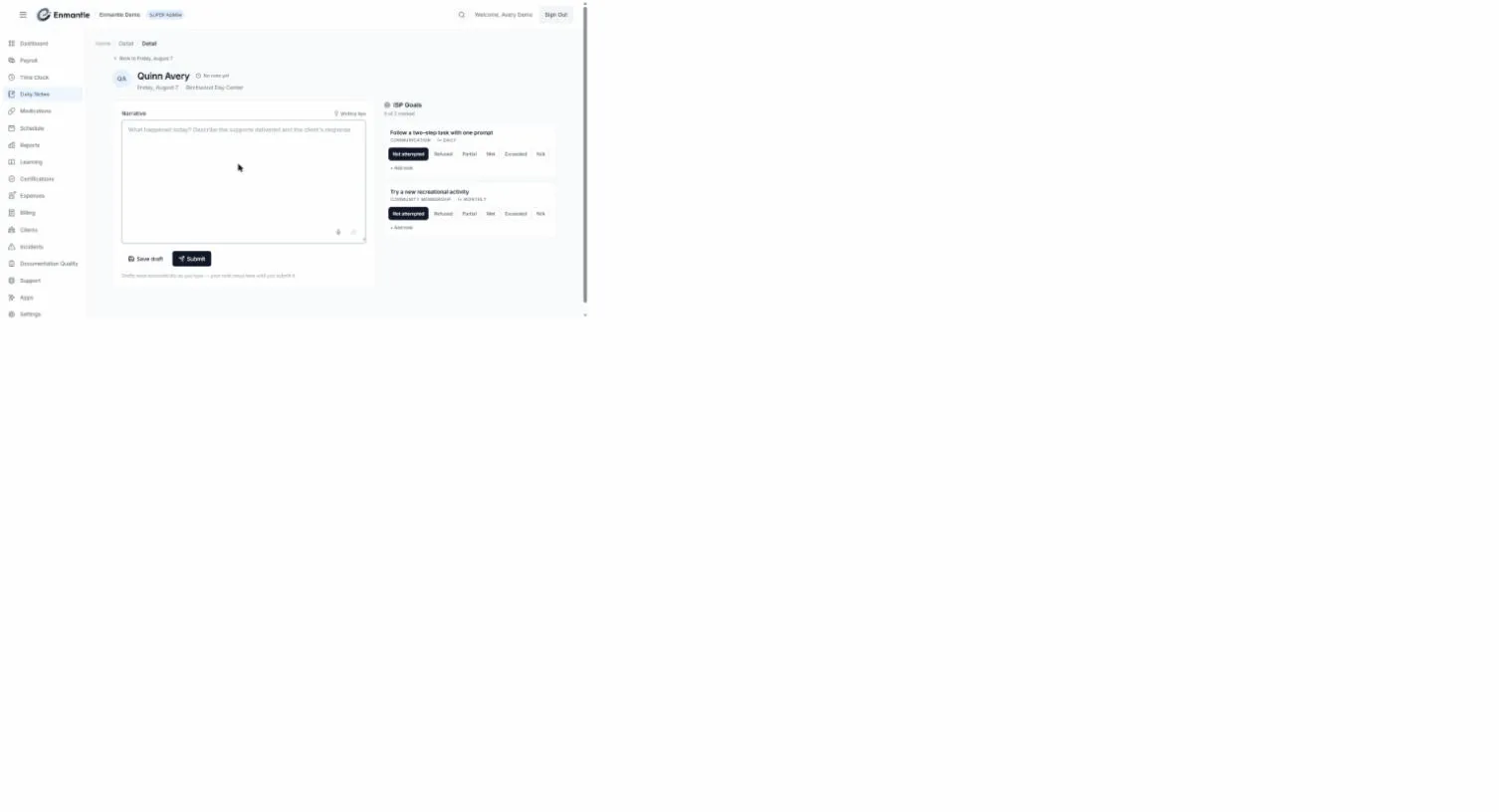
Open Enmantle, go to today's shift, and open the daily note for the person you support. It opens on the Narrative field, prompting "What happened today? Describe the supports delivered and the client's response."
The note brings three things together: what you did, anything notable about the day, and progress on the ISP goals — dictate, adjust, and score as you go. There's one note per person, per date, per author, and you can't create one for a future date.
Dictate the note by voice
Typing on a phone mid-shift is slow; speaking is faster and more natural.
- Tap the
Narrativefield. - Tap the compact microphone inside the text box to start voice dictation.
- Describe the support you provided in your own words — plain language is fine.
- Tap the mic again to stop when you're done.
Say it the way you'd tell a coworker; don't sweat grammar yet — that's the next step.
Polish with AI
Once your words are down, tap Polish with AI to tidy the wording. Enmantle shows the result as a Polished version preview so you can compare it against what you wrote, then choose Accept changes to keep it or Discard to keep your original.
Here's what it does, and doesn't do:
- It cleans up phrasing — run-on sentences, loose wording, obvious slips. Its instruction to the AI is literally "Preserve meaning. Do not add new information. Do not remove information." — so it never invents events, times, or observations you didn't say.
- You stay the author of record. The note is yours, not the AI's.
- Your client's information is protected. Names and other identifiers (PHI) are tokenized before anything is sent for polishing.
Always read thePolished versionbefore you accept it. If a word isn't quite right,Discardand fix it — you're responsible for what the note says, not the AI.
The polish is only as complete as your dictation — if you left something out, add it; the AI won't fill the gap.
AI features (Polish with AI and voice dictation) are enabled per organization. If you don't see them, your administrator hasn't turned them on for your tenant — just type the note.
Score the ISP goals
Before you submit, record progress on the person's ISP goals — they appear right inside the same note, scored from what happened during the shift.
Full walkthrough: Scoring ISP goals inside your notes.
Review, then submit
Read the whole note once more — confirm the wording is accurate, the goals are scored, and nothing important is missing.
You don't have to save as you go — Enmantle autosaves your draft about a second and a half after you stop typing (never an empty note), and the footer confirms it: "Drafts save automatically as you type — your note stays here until you submit it." You can also tap Save draft yourself.
When the note is complete, tap Submit; it moves from DRAFT to SUBMITTED. Spot something afterward and you can edit and Re-submit, right up until the note is LOCKED and can no longer be changed. Delete removes a note entirely — and because goal scores live on the note, deleting it also clears the goal statuses you recorded.
The pre-clock-out prompt
If you forget the note, Enmantle catches it. When you go to clock out, a Submit your documentation now? dialog summarizes where you stand — the visit note status, "Goals: {marked} of {total} marked", and "Transport: {n} trip(s) logged". If anything's missing it warns "Your documentation looks incomplete. You can still clock out now and finish it later from Daily Notes." Tap Submit & clock out to finish now, or Save draft & clock out to come back to it.
This is on purpose: a shift without a note is a billing and compliance gap, and it's far easier to write now than to reconstruct tomorrow. For the full clock-out flow, see For DSPs: your first shift.
Quick recap
That's the whole flow: dictate into Narrative, run Polish with AI, score the goals, and Submit before you clock out — every shift, without it eating your time.
Still stuck?
Email support@enmantle.com — a real person replies.