ISP goal tracking software, scored inside the daily note.
A person's ISP goals show up right inside the daily note, so a direct support professional (DSP) scores progress on each one from what actually happened on shift — no separate screen. Import the plan straight from an Ohio DODD ISP PDF, and every score rolls up to the Client 360 record the whole team reads from.
Last reviewed · Enmantle team
What does ISP goal scoring look like inside the note?
When a direct support professional (DSP) opens a person's daily note, their active ISP goals appear right there in an ISP Goals panel, with a running count of how many are marked. Each goal gets one of six statuses — Not attempted, Refused, Partial, Met, Exceeded, or N/A — tapped from what actually happened on that shift, with an optional note for context.
There's no separate goals screen to remember. The note itself opens on a Narrative field a DSP can dictate by voice instead of typing, then clean up with Polish with AI — which tidies phrasing only; its instruction is literally to preserve meaning and never add or remove information, so the DSP stays the author of record. Names and other identifiers are tokenized before anything is sent for polishing. A shift only counts as fully compliant on the Documentation Quality dashboard when it has both a submitted note and at least one scored goal — so scoring isn't an afterthought, it's what closes the day out clean.
Where do the goals come from, and where do they go?
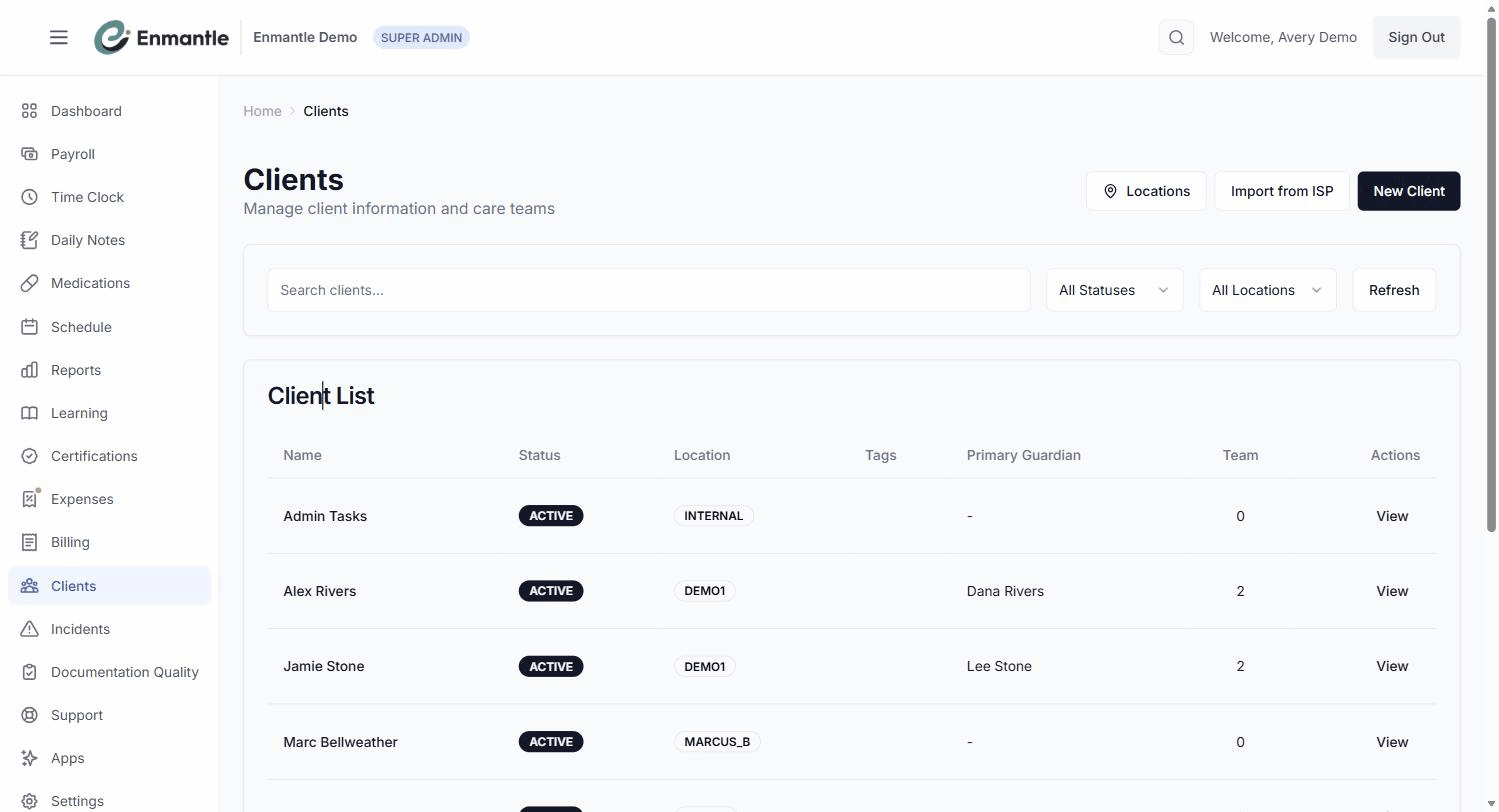
Goals aren't typed in by a DSP — they come from the person's Individual Service Plan (ISP), which an administrator sets up, often by importing a standard Ohio DODD ISP PDF. Enmantle reads a text or scanned PDF up to 15 MB and drafts the person, their home, their goals, service authorizations, and contacts, all shown for review — amber-highlighted where confidence is low — before anything is created. Nothing is invented; everything comes from the document, and a person confirms it before the record goes live.
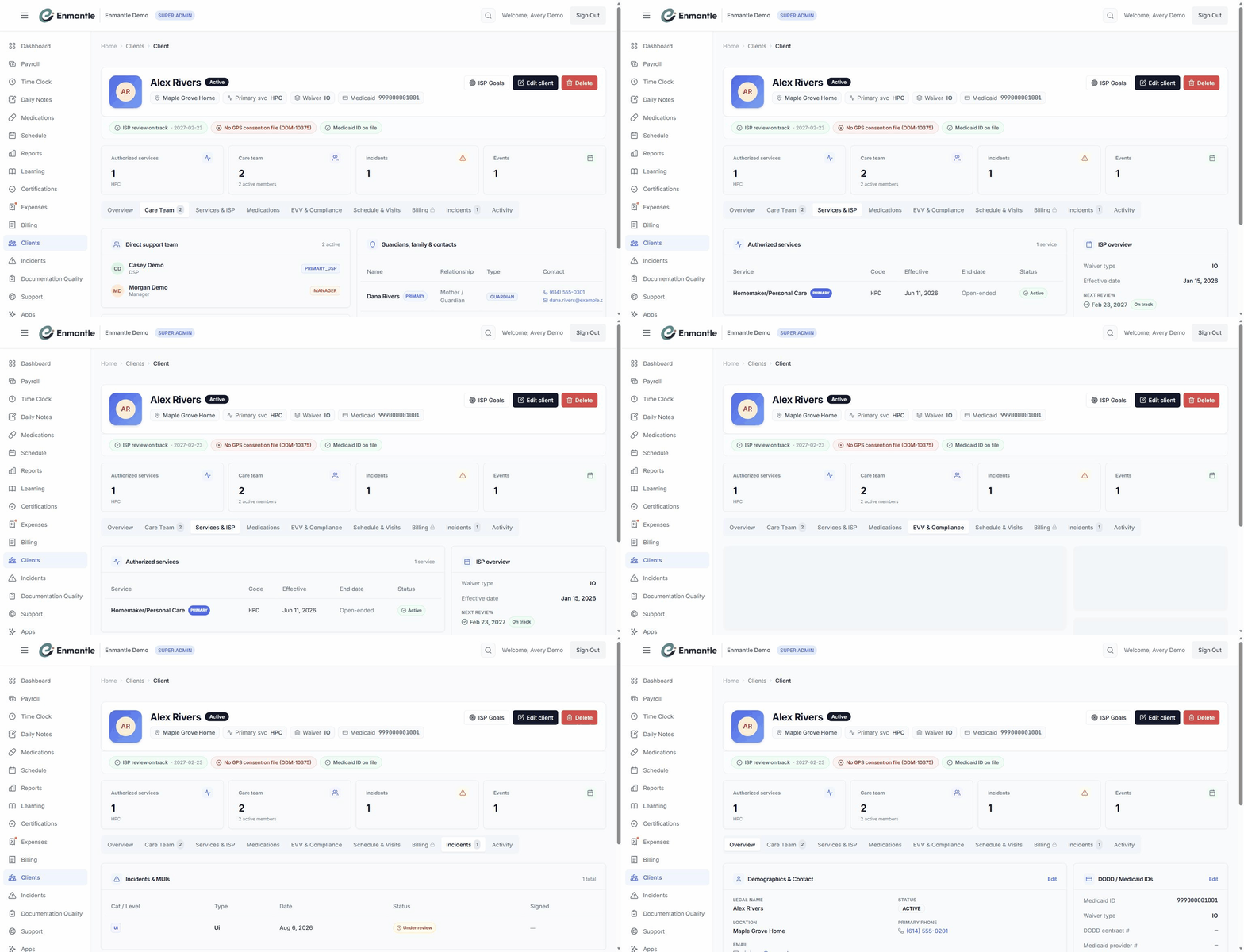
Once a client exists, everything about them lives on one page: the Client 360. Its Services & ISP tab holds the waiver and the goals themselves; its EVV & Compliance tab tracks readiness; and a compliance strip flags whether the ISP review is on track, due, or overdue. Every score a DSP records in a daily note feeds this same page, so the goals, the scores, and the history come together in one place instead of scattered notes.
How it works in Ohio
An Individual Service Plan (ISP) is the Ohio DODD document that names a person's goals and authorized services, and it's reviewed on a schedule your team tracks on Client 360. Enmantle reads a standard Ohio DODD ISP PDF — from any source — so a new client or a migrated record starts from the plan itself rather than a blank form. Because scoring happens inside the same note a direct support professional (DSP) writes every shift, it sits alongside the same record that also carries GPS-verified visit data for Ohio's EVV program; see EVV app with GPS for Ohio DODD for how that side of the shift works.
A day with it
An administrator imports a new client from a scanned ISP PDF. Enmantle reads it in under a minute, drafting several goals, a handful of service authorizations, and the contacts named on the plan; one goal's frequency is highlighted amber because the scan was unclear, so the administrator checks the original page, corrects it, and clicks Create client. The person now has a Client 360 record with goals ready to score.
That evening, the assigned DSP opens the shift's daily note. They dictate the narrative by voice — what they did, how the visit went — and tap Polish with AI to tidy the wording, reading the polished version before accepting it. In the ISP Goals panel, two goals apply to today: one they score Met, with a short note about how it went; the other gets Not attempted, honestly, since it didn't come up. The counter ticks up to show both marked, they submit the note, and the shift closes out fully documented.
Screens

Frequently asked questions.
Where do ISP goals come from in Enmantle?
Do DSPs score goals on a separate screen?
ISP Goals panel, so scoring happens as part of writing the note for that shift rather than as a separate task. A running counter shows how many of the person's goals have been marked.Does the AI voice feature invent anything in the note?
Where can a manager see a client's goals and scores together?
Services & ISP tab. The same page also shows an ISP-review status pill, GPS consent status, and an EVV readiness checklist, so the plan, the progress, and the compliance picture sit on one record instead of several.What if a goal wasn't worked on during a shift?
Not attempted, honestly. Enmantle expects an accurate record over an optimistic one, and there's a separate N/A status for goals that genuinely didn't apply to that day's shift — both are valid, complete answers, not gaps a direct support professional should leave blank.- Import a client from an Ohio ISP PDFUpload a standard Ohio DODD ISP PDF and Enmantle drafts the client — person, home, goals, authorizations, and contacts — for you to review first.
- The Client 360 page, tab by tabEvery client has one page that holds their waiver, Medicaid ID, ISP review tracker, GPS consent, care team, visits, notes, and incidents.
- Scoring ISP goals inside your notesThe person's ISP goals show up right inside the daily note, so you record progress on each one during the shift — no separate screen.
- Write a daily note with voice dictation and AI polishSpeak your daily note instead of typing it, tidy the wording with AI, and finish before you clock out — here's the whole flow.
— See it on your workflow —
See a goal scored inside the note.
A 30-minute demo imports a sample ISP and scores a goal the way your DSPs would, mapped to your plans.