UI and MUI incident reporting software for Ohio.
When something happens, Enmantle's 3-step wizard captures it, classifies it as UI or MUI, and calculates the deadline from the discovery date. Administrators work a review queue sorted by urgency, file in the formats Ohio DODD and county boards expect, and generate the Annual MUI Analysis in one click.
Last reviewed · Enmantle team
What does the incident wizard do?
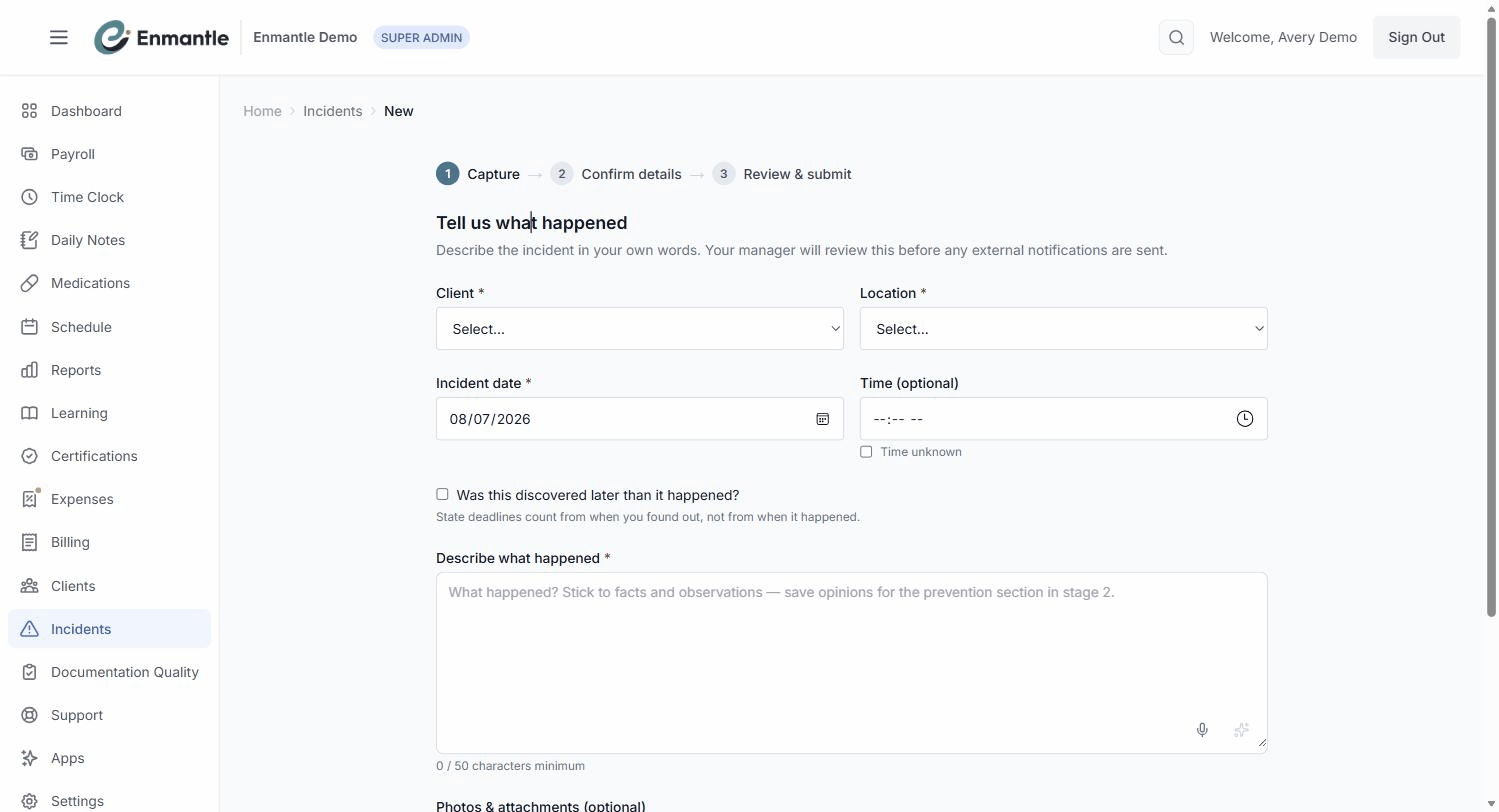
Enmantle walks a staff member through reporting an incident in three steps — Capture, Confirm details, and Review & submit — without requiring them to know the reporting rules by heart. The wizard asks for what's needed and calculates the deadline for you, so the reporter's job is simply to report promptly and accurately.
Capture records the client, location, incident date, and a description of at least fifty characters, plus a Discovery date if the incident was found out about later than it happened — deadlines run from discovery, not from the event itself. Photos can be attached straight from a phone, and sync once the device is back online if it was offline. Confirm details is where the incident gets classified — UI (Unusual), MUI (Major), or Internal — with an MUI category and type when it applies. Review & submit shows a completeness gate before you can send it, plus an attestation that the report is accurate to the best of the reporter's knowledge.
What happens after an incident is submitted?
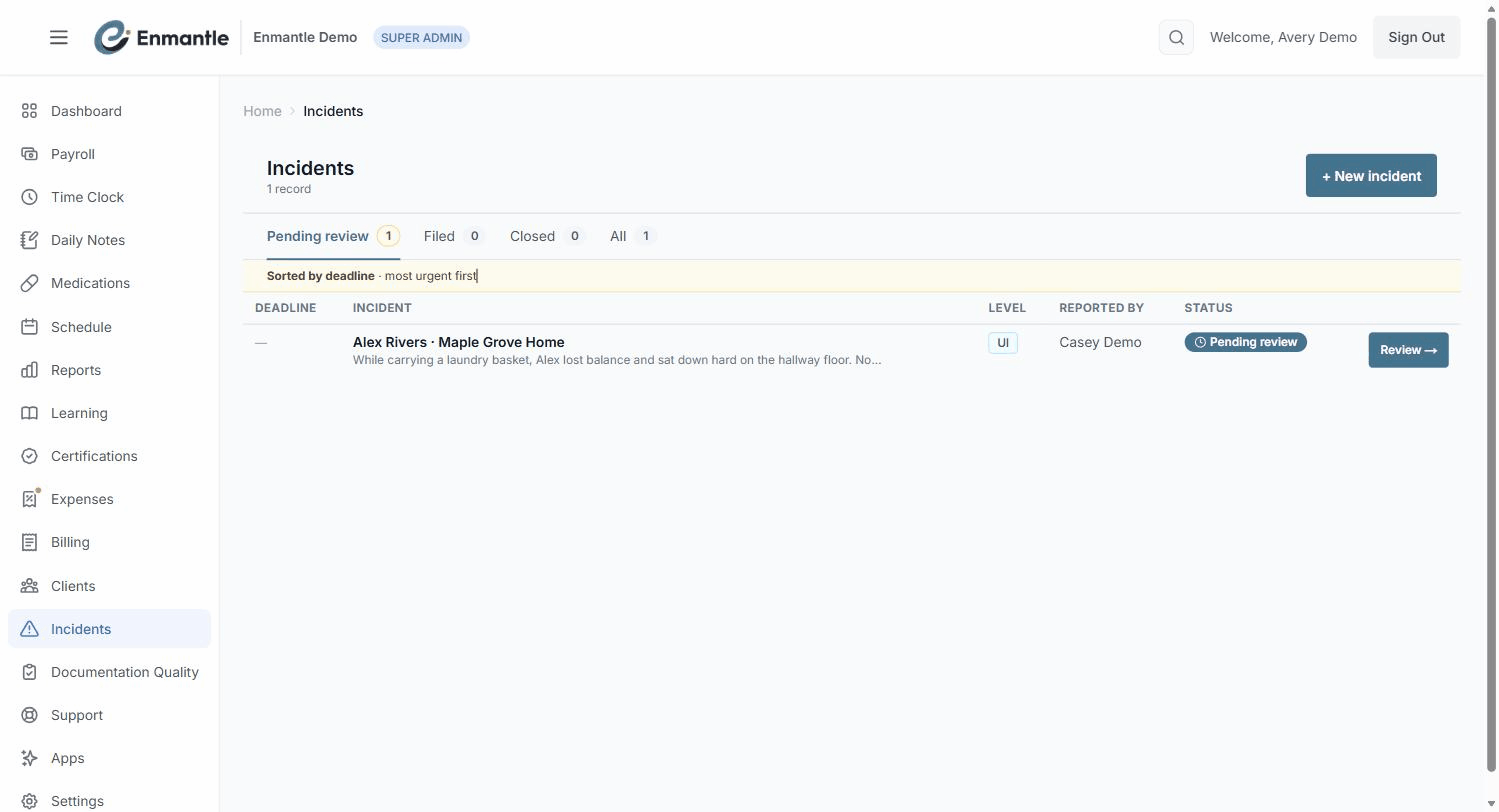
Every submitted incident lands in an administrator's review queue, organized into My drafts, Pending review, Filed, Closed, and All, sorted so MUIs and the most urgent deadline sit at the top. Each item carries a live deadline badge — UPCOMING, APPROACHING, BREACHED, or SATISFIED — recomputed from the discovery date.
The administrator confirms or corrects the classification, sends it back to the reporter with Request Clarification if something's missing, and, when it's right, uses Finalize & File to lock the report. Enmantle generates the report in the formats Ohio DODD and county boards expect, populated from what was filed in the wizard, so nothing gets rebuilt by hand. Finalizing doesn't notify anyone outside your organization on its own — sending the report to a county board or a guardian is a deliberate Send Report step. Once a year, the Annual MUI Analysis card assembles a full year of filed MUIs into a report in one click, ready to review before it goes to the county board.
Enmantle also runs a public complaints process alongside incidents: anyone — staff, a family member, or the person served — can submit a complaint, anonymously if they choose, with a tracking token to check status later. Directors manage complaints through a dashboard with status, priority, and internal-versus-visible notes.
How it works in Ohio
OAC 5123-17-02 requires county-board notification within four hours for the incidents on its four-hour list, and the written incident report is due to the county board by 3 p.m. on the first working day after discovery. The annual MUI analysis is due to the county board by February 28. Enmantle calculates every incident's deadline from the discovery date the reporter enters, which is exactly why that date has to be accurate — everything downstream depends on it.
A day with it
A direct support professional (DSP) notices a minor injury during a shift. They make sure the person is safe, then open the incident wizard right away rather than waiting until the end of the day. Capture takes under two minutes — client, location, date, a fifty-character description, and a photo of the affected area. Unsure whether it's a UI or an MUI, they pick their best guess in Confirm details and submit; the note reminds them their manager will confirm the classification before anything external happens.
The report lands in the administrator's Pending review queue, sorted above older, lower-urgency items because it's a possible MUI. The administrator reviews the description and the photo, confirms the MUI category, and — because this one is on the four-hour list — calls the county board within the window while the written report is still being finalized. By the next morning, Finalize & File locks the record, the PDF is generated in the county's expected format, and Send Report puts a copy in the guardian's inbox.
Screens
Frequently asked questions.
How does Enmantle know an incident's reporting deadline?
Who decides whether something is a UI or an MUI?
Does filing an incident automatically notify the county board?
Finalize & File locks the report so it can no longer be edited and emails your internal reviewers, but sending it outside your organization — to a county board, a guardian, or another recipient — is a separate, deliberate Send Report step you choose to take.Can someone submit a complaint anonymously?
How does the Annual MUI Analysis get built?
Annual MUI Analysis card assembles it into the report your county board expects for the prior calendar year, due by February 28 — instead of you compiling twelve months of incidents by hand.- Report an incident: the 3-step wizardHow a staff member files an incident on Enmantle: the 3-step wizard, attaching photos, and why the discovery date drives every deadline.
- Review, file, and track UIs/MUIs as an adminThe admin side of incidents: a deadline-sorted review queue, filing UI/MUI reports in DODD-expected formats, and the one-click Annual MUI Analysis.
- Submitting and managing complaintsSubmit a complaint anonymously and save your tracking token, plus how directors review, prioritize, note, and resolve complaints from the dashboard.
— See it on your workflow —
Walk through the incident wizard.
A 30-minute demo files a sample incident start to finish, mapped to your counties and review workflow.